PROPER etiketine sahip kayıtlar gösteriliyor. Tüm kayıtları göster

14 Mart 2014 Cuma

Android Weather & Clock Widget 3.7.4 (Ad-Free)


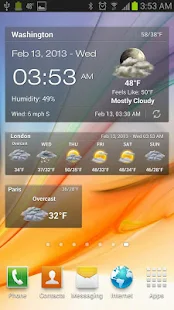
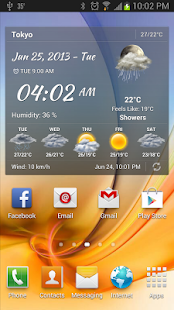
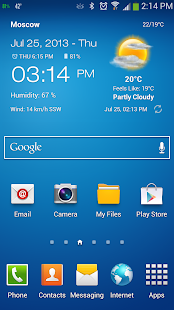
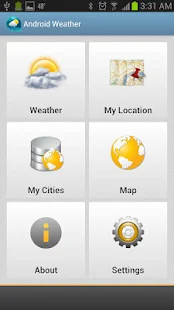
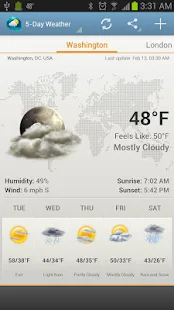
Android Weather, your quick and accurate weather app, provides detailed weather for all cities worldwide, it searches for cities and locates them quickly, and provides the current temperature, current weather condition, humidity and wind status, in addition, four days weather forecast


Size: 3.5 MB
Android Requires : 2.2+ 

More Info on Google Play:
https://play.google.com/store/apps/details?id=com.devexpert.weather&hl=en


 Android Weather & Clock Widget - screenshot thumbnailAndroid Weather & Clock Widget - screenshot thumbnailAndroid Weather & Clock Widget - screenshot thumbnailAndroid Weather & Clock Widget - screenshot thumbnailAndroid Weather & Clock Widget - screenshot thumbnailAndroid Weather & Clock Widget - screenshot thumbnailAndroid Weather & Clock Widget - screenshot thumbnailAndroid Weather & Clock Widget - screenshot thumbnail
Android Weather, your quick and accurate weather app, provides detailed weather for all cities worldwide, it searches for cities and locates them quickly, and provides the current temperature, current weather condition, humidity and wind status, in addition, four days weather forecast. Android Weather, is 100% free, and it comes with a cool widget, cool icons, portrait and landscape user interface.
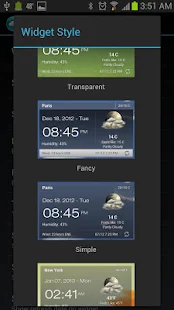
Android Weather comes with different widget sizes,2x1, 4x1 and 4x2 for normal screens, and 5x1 and 5x2 for large screens like Galaxy Note and tablets.
Android Weather supports a wide range of Android phones, it supports Android Version 2.2 and higher.
Features:
- Provides current weather condition and four days weather forecast.
- Home screen widgets, 5x2, 5x1 for large screen only and 4x2, 4x1 and 2x1 for all screens.
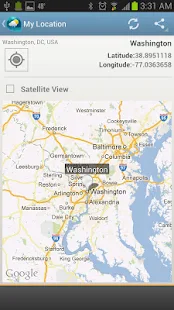
- Searches for all cities in the world by country and city or famous cities.
- You can set your internet source to Wi-Fi only.
- You can disable internet access from operators while you are in roaming.
- You can set your preferred temperature unit, Celsius or Fahrenheit.
- Automatic update intervals are: 15 min, 30 min, 1, 3, 6, 9, 12 hours or Manual update.
- Auto location detection.
- Up to 10 different locations.
- Weather map with ability to add any city to city list
- Notification alerts.
- Localized to English, Danish, German, Bulgarian, Finnish, Dutch, Slovenian, Romanian, Arabic, French, Croatian, Turkish, Czech, Spanish, Italian, Portuguese, Hungarian, Russian, Portuguese (Brazil).

What's New
For any questions or issues, please visit FAQ page at: http://www.devexpert.net/weather
-----
- An Ad-Free version added (From About screen > More Apps > Weather & clock Widget Ad free)
- We have updated time zone calculation methodology
- Performance improvements

info mod:
-Switch off load from the Internet advertising, removing the lower band (because they just clutter the screen).
-Before installing the modified APK delete the original.

BoxToGo Pro 1.7.2 build 73 *Proper* Patched


Remote control your FRITZ!Box and find out who called at home. Manage call diversions, switch on/off your answering machine and check voice mail. The callthrough feature possibly allows free calls. The new feature "Auto Detect" ensures that BoxToGo always knows the current FRITZ!Box address. You do not need a DynDns provider anymore


Size: 1.5 MB
Android Requires : 2.1+

More Info on Google Play:
https://play.google.com/store/apps/details?id=de.almisoft.boxtogofull


 BoxToGo Pro - screenshot thumbnailBoxToGo Pro - screenshot thumbnailBoxToGo Pro - screenshot thumbnailBoxToGo Pro - screenshot thumbnailBoxToGo Pro - screenshot thumbnailBoxToGo Pro - screenshot thumbnailBoxToGo Pro - screenshot thumbnailBoxToGo Pro - screenshot thumbnailBoxToGo Pro - screenshot thumbnailBoxToGo Pro - screenshot thumbnail
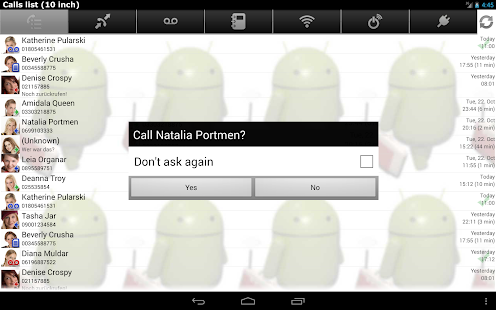
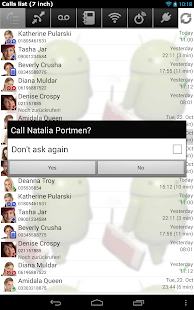
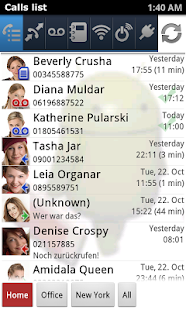
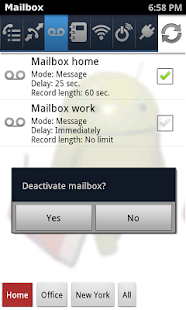
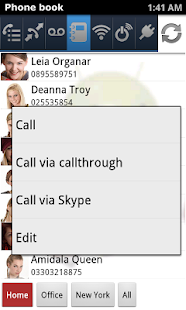
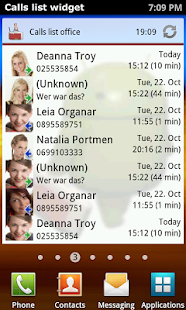
Remote control your FRITZ!Box and find out who called at home. Manage call diversions, switch on/off your answering machine and check voice mail. The callthrough feature possibly allows free calls.
More features:
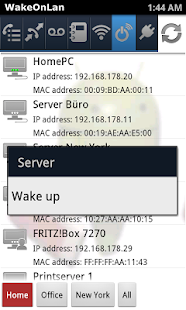
- start computer (WakeOnLan)
- call monitor displays calls immediately
- show and edit phone book
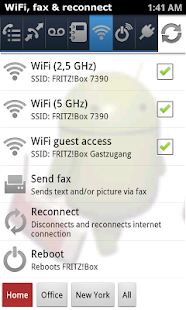
- switch on/off WiFi and WiFi guest access
- restart and reset FRITZ!Box
- play voicemail messages 
- open and send fax messages
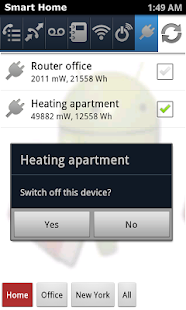
- switch Smart Home devices
- support multiple FRITZ!Boxes
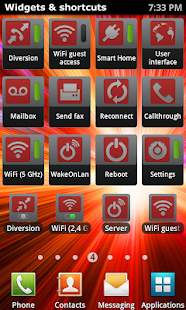
- 14 widgets for nearly all features
- callthrough and skype integration
User about BoxToGo Pro:
"BoxToGo is the leading and most comprehensive FRITZ!Box-App and has much more features than all AVM FRITZ!Apps and Simple Router Configuration"
Simple setup:
The new wizard lets you easily setup BoxToGo and supports MyFRITZ!, DynDns and free "BoxToGo DynDns".
Requirements:
AVM FRITZ!Box 3270, 3370, 6320, 6340, 6360, 6840, 6842, 7112, 7141, 7170, 7240, 7270, 7320, 7330, 7360, 7362, 7390, 7490 or 7570 with firmware from xx.04.87.
More requirements: http://www.boxtogo.de/systemvoraussetzungen.php
Callthrough:
For using the callthrough feature for free mobile calls to your house line, the FRITZ!Box needs two lines, like e.g. ISDN or Analog plus VoIP. In addition your phone contract must include free on-net calls and free calls to your fixed line.
Voicemail and fax messages:
These messages can be displayed in calls list and be opened as wav or pdf file with firmware from xx.05.05. If your mobile phone can not play back these wav files directly, I recommend the app "WavPlayer".
Support and money back:
Please contact me if you have problems or questions. If BoxToGo should still not work, you'll get your money back!
Security alert for all users of FRITZ!Box and BoxToGo:
http://www.boxtogo.de/sicherheit.php
Visit http://www.boxtogo.de for FAQs, forum and videos or contact me directly: boxtogo@almisoft.de or +49 (0) 30 70206375

13 Mart 2014 Perşembe

XPrivacy Pro 2.0.3 Beta


XPrivacy can prevent applications (including associated background services and content providers) from leaking privacy sensitive data.


Size: 0.789 MB
Android Requires :4.0.3+

More Info on Google Play:
https://play.google.com/store/apps/details?id=com.painless.pc


XPrivacy import/export enabler - screenshot thumbnailXPrivacy import/export enabler - screenshot thumbnailXPrivacy import/export enabler - screenshot thumbnailXPrivacy import/export enabler - screenshot thumbnailXPrivacy import/export enabler - screenshot thumbnailXPrivacy import/export enabler - screenshot thumbnail
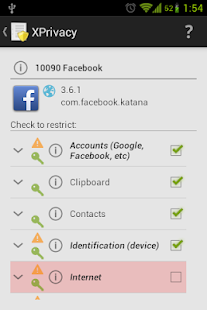
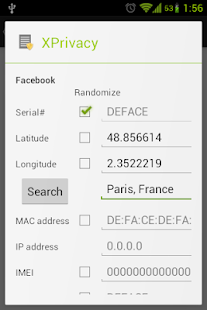
XPrivacy can restrict the categories of data an application can access. This is done by feeding an application with no or fake data. There are several data categories which can be restricted, for example contacts or location. For example, if you restrict access to contacts for an application, this will result in sending an empty contact list to the application, when it requests access to your contacts. Similarly, restricting an application's access to your location will result in a random or set location being sent to the application.

XPrivacy doesn't revoke (i.e. block) permissions from an application, which means that most applications will continue to work as before and won't force close. There are two exceptions to this, access to the internet and to external storage (typically an SD card) is restricted by denying access (revoking permissions). There is no other way to realize this, since these permissions are handled by Android in a special way. Android delegates handling of these permission to the underlying Linux network/file system.
If restricting a category of data for an application results in problems for the application, it is possible to allow access to the data category again to solve the issue.

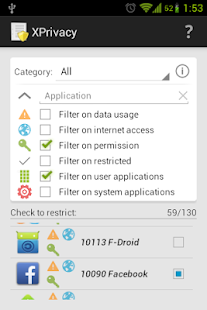
By default, all newly installed applications will have no access to any data category at all, to prevent a new application from leaking sensitive data right after installation. Shortly after installing a new application, XPrivacy will ask which data categories you want the new application to have access to. XPrivacy comes with an application browser, which allows you to quickly enable or disable applications' access to a particular data category (i.e. to view and control all access to the camera, for example). It is also possible to edit all data categories for one application.

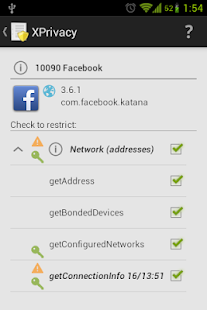
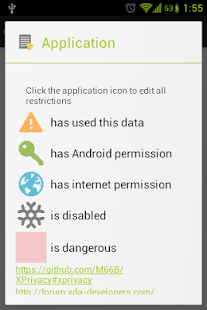
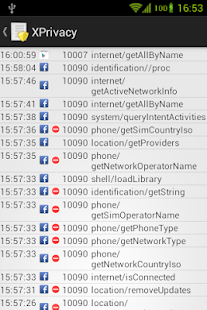
To help you identify potential data leaks, XPrivacy will monitor attempts made by all applications to access sensitive data. XPrivacy will display a yellow triangle icon as soon as data of a data category has been used. XPrivacy will also display if an application has internet access, indicating that the application poses a risk of sharing the data it obtains with an external server. This is just a guideline, since an application could access the internet through other applications too. If an application has requested Android permissions to access data in a data category, this will be displayed with a green tick icon, but this will only be shown when looking at an individual application, since checking permissions for all applications is quite slow.

XPrivacy is built using the Xposed framework. XPrivacy taps into a number of selected functions of Android through the Xposed framework. Depending on the function, XPrivacy conditionally skips execution of the original function (for example when an application tries to set a proximity alert) or alters the result of the original function (for example to return empty calendar data).

XPrivacy has been tested with CyanogenMod 10 and 10.1 (Android 4.1 and 4.2), and will most likely work with any Android version 4.1 or 4.2 variant, including stock ROMs. Root access is needed to install the Xposed framework. Because of a bug in the Xposed framework, XPrivacy currently needs a fixed Xposed binary, which is provided as download for both Android version 4.1 and 4.2.

Recent changes:
2.0.3 Beta
Fixed restrictions not always showing correct after on demand restricting (issue)
Fixed invalid restart required when toggling restrictions of a category
Fixed and improved batch operation layout (issue)
Fixed randomize on access combined with randomize on boot (issue)
Fixed displaying on demand restricting in application list
Better matching of sh and su (issue)

12 Mart 2014 Çarşamba

XPrivacy Pro 2.0.2 stable


XPrivacy can prevent applications (including associated background services and content providers) from leaking privacy sensitive data.


Size: 0.789 MB
Android Requires :4.0.3+

More Info on Google Play:
https://play.google.com/store/apps/details?id=com.painless.pc


XPrivacy import/export enabler - screenshot thumbnailXPrivacy import/export enabler - screenshot thumbnailXPrivacy import/export enabler - screenshot thumbnailXPrivacy import/export enabler - screenshot thumbnailXPrivacy import/export enabler - screenshot thumbnailXPrivacy import/export enabler - screenshot thumbnail
XPrivacy can restrict the categories of data an application can access. This is done by feeding an application with no or fake data. There are several data categories which can be restricted, for example contacts or location. For example, if you restrict access to contacts for an application, this will result in sending an empty contact list to the application, when it requests access to your contacts. Similarly, restricting an application's access to your location will result in a random or set location being sent to the application.

XPrivacy doesn't revoke (i.e. block) permissions from an application, which means that most applications will continue to work as before and won't force close. There are two exceptions to this, access to the internet and to external storage (typically an SD card) is restricted by denying access (revoking permissions). There is no other way to realize this, since these permissions are handled by Android in a special way. Android delegates handling of these permission to the underlying Linux network/file system.
If restricting a category of data for an application results in problems for the application, it is possible to allow access to the data category again to solve the issue.

By default, all newly installed applications will have no access to any data category at all, to prevent a new application from leaking sensitive data right after installation. Shortly after installing a new application, XPrivacy will ask which data categories you want the new application to have access to. XPrivacy comes with an application browser, which allows you to quickly enable or disable applications' access to a particular data category (i.e. to view and control all access to the camera, for example). It is also possible to edit all data categories for one application.

To help you identify potential data leaks, XPrivacy will monitor attempts made by all applications to access sensitive data. XPrivacy will display a yellow triangle icon as soon as data of a data category has been used. XPrivacy will also display if an application has internet access, indicating that the application poses a risk of sharing the data it obtains with an external server. This is just a guideline, since an application could access the internet through other applications too. If an application has requested Android permissions to access data in a data category, this will be displayed with a green tick icon, but this will only be shown when looking at an individual application, since checking permissions for all applications is quite slow.

XPrivacy is built using the Xposed framework. XPrivacy taps into a number of selected functions of Android through the Xposed framework. Depending on the function, XPrivacy conditionally skips execution of the original function (for example when an application tries to set a proximity alert) or alters the result of the original function (for example to return empty calendar data).

XPrivacy has been tested with CyanogenMod 10 and 10.1 (Android 4.1 and 4.2), and will most likely work with any Android version 4.1 or 4.2 variant, including stock ROMs. Root access is needed to install the Xposed framework. Because of a bug in the Xposed framework, XPrivacy currently needs a fixed Xposed binary, which is provided as download for both Android version 4.1 and 4.2.

Recent changes:
Main changes since stable version 1.11:

Replaced XML settings files by a privacy service and a privacy database
Increased speed, stability and security
Allows for new features formerly not possible, like:
Added on demand restricting
XPrivacy will ask to allow/deny on actual function usage
Added white and black listing for files, IP addresses, domain names, commands, libraries and URLs
White and black listing on demand are available to anyone
White/black list management from the user interface requires a Pro license
Clearing restrictions will clear white/black lists too
Added parameters to usage data (option) (only Pro license)
Added sorting and extended filtering
Added multiple select and batch operations to set, reset, import and export restrictions
Added a series of new restrictions and improved existing restrictions
Added template for functions
Added user defined dangerous functions
Added in application documentation for all functions
Added switch to disable restrictions for each application
Allows for disabling restrictions, without taking away the ability to edit restrictions
Support for multiple users (if your device supports this)
The number of crowd sourced restrictions is more than 5 million now
Donations are accepted in Bitcoins now too
Other changes:

Added restriction for time zone (issue)
White listing does not change default of check boxes (issue)
Layout fix (issue)
Updated Dutch translation
Updated German translation
Updated French translation
Updated Polish translation
Updated Slovak translation
Updated Slovenian translation